
Your Guide to the BFMeTournaments Events Calendar
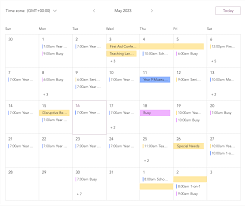
Stay in the Game with Our Events Calendar
Every great tournament starts with a date to look forward to. The events calendar at BFMeTournaments.com helps players keep track of upcoming competitions, plan their schedules, and find their next chance to compete.
Find Your Next Tournament
Whether you’re looking for your first competitive match or hoping to test your skills against experienced players, the calendar makes it easier to see what’s coming up. Check event listings for important details, including tournament dates, start times, game titles, registration information, and any rules or eligibility requirements.
Plan Ahead
Some events may require advance registration, so it’s a good idea to review the calendar regularly and sign up early. Before registering, read the tournament details carefully and make sure you’re available for the listed times. If times are shown in a specific time zone, remember to convert them to your local time.
Check for Updates
Event details can change. Tournament times, registration deadlines, or other information may be updated, so revisit the event listing before competition day. Keep an eye out for announcements from the organizers so you don’t miss important instructions.
Make Every Match Count
Use the events calendar to discover new competitions, prepare for upcoming matches, and stay connected with the gaming community. Check back often, choose an event that fits your interests, and get ready to play.
8 Tips for Keeping Your Events Calendar Organized
- Add events as soon as they’re confirmed.
- Include the date, time, and location.
- Set reminders for important events.
- Use colors to distinguish event types.
- Check for scheduling conflicts before booking.
- Share calendars with relevant people.
- Update or cancel events when plans change.
- Review your calendar at the start of each week.
Add events as soon as they’re confirmed.
Add events to the calendar as soon as they’re confirmed so players have plenty of time to plan, register, and prepare. Include the key details—such as the date, start time, game, location or online format, and registration link—and update the listing promptly if anything changes. Timely, accurate information helps build excitement and makes it easier for everyone to take part.
Include the date, time, and location.
Include the event’s date, start time, and location so visitors can quickly tell when and where it will take place. If the event is online, specify how to join; if it’s in person, provide the venue address. Mention the time zone when relevant, and keep these details up to date if anything changes.
Set reminders for important events.
Set reminders for important events so you have plenty of time to register, prepare, and join on schedule. Add tournament dates and start times to your calendar, and set alerts for registration deadlines or event updates. Be sure to check the time zone so you don’t miss a match.
Use colors to distinguish event types.
Use colors to distinguish event types at a glance. For example, assign different colors to tournaments, registration deadlines, community events, and practice sessions. Choose a clear, consistent color for each category, and include a legend so everyone knows what the colors mean.
Check for scheduling conflicts before booking.
Before booking an event, check your calendar for work, school, travel, or other commitments that could overlap with tournament times. Be sure to account for time zone differences and allow extra time for check-in or setup. Confirming your availability ahead of time helps you avoid last-minute cancellations and focus on enjoying the competition.
Share calendars with relevant people.
Share the events calendar with teammates, friends, or anyone else who may want to join or follow a tournament. Keeping relevant people informed makes it easier to coordinate schedules, plan registrations, and avoid missing important event updates.
Update or cancel events when plans change.
Keep your events calendar accurate by updating or canceling an event as soon as plans change. Prompt updates help participants avoid confusion, adjust their schedules, and stay informed about important details. If an event is canceled or rescheduled, clearly communicate the change and share any next steps.
Review your calendar at the start of each week.
Review your events calendar at the start of each week to see what’s coming up and plan ahead. Check tournament dates, start times, registration deadlines, and any recent updates so you can make time to prepare and avoid missing an event you’re excited to join.


Leave a Comment